GitAvailable
Git
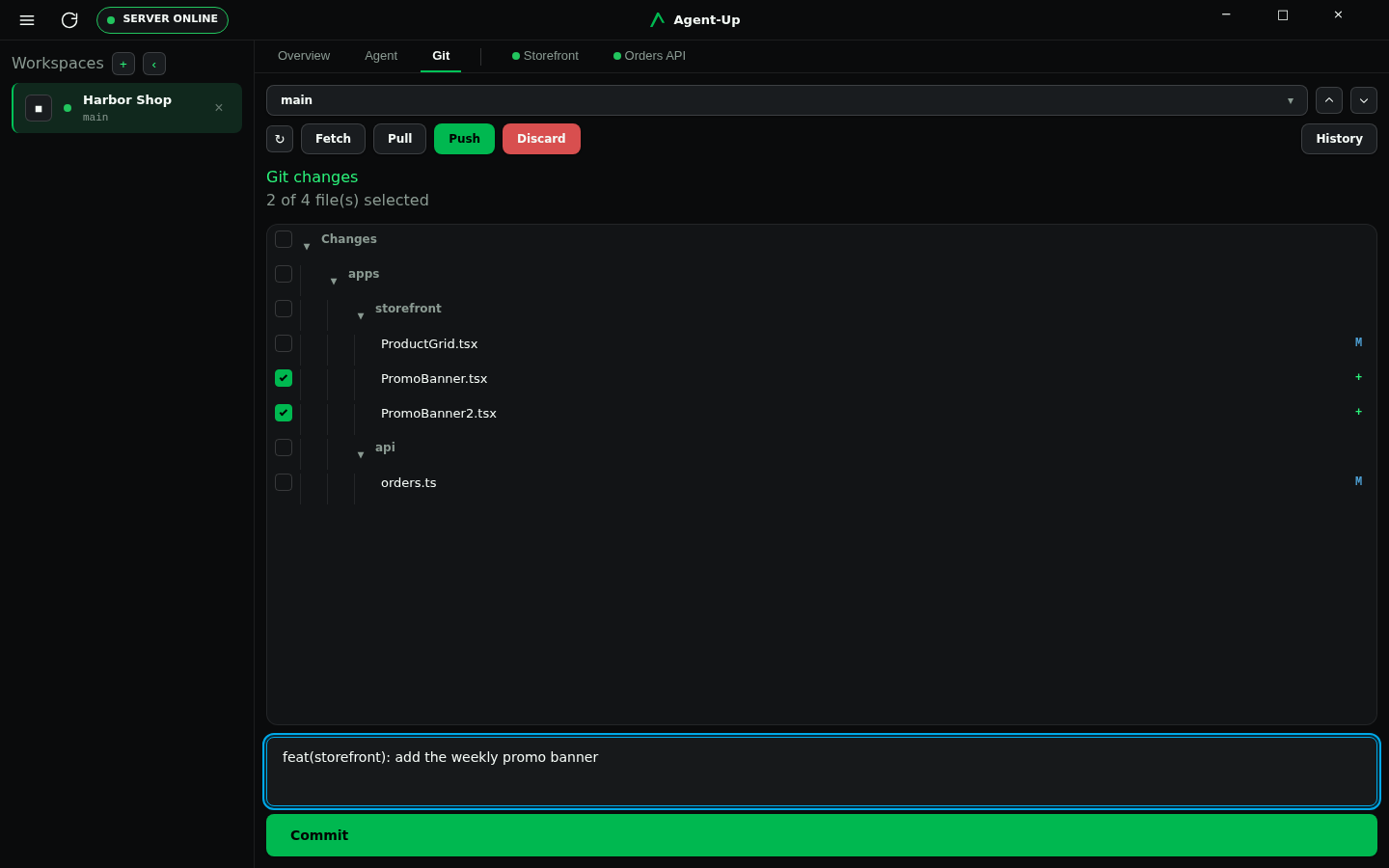
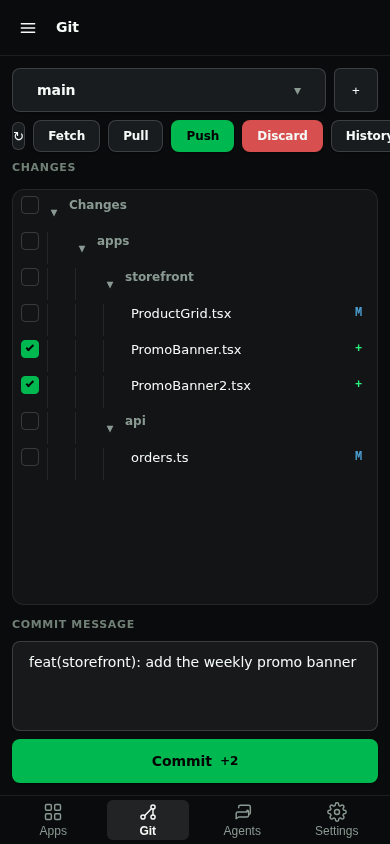
Git is the human working-tree review surface. Every workspace has a view of uncommitted changes, per-file diffs, a chosen-path commit, branch fetch/pull/push, and a bounded history.
Desktop chrome is the Git tab, heading Git changes. Mobile chrome is the Git tab, with inner Review and History pages.
Open Review
Select paths and commit
Use History or remotes when you need them
Chrome
Desktop Git · Mobile Git
Where it differs
Desktop
Open it from the Git tab of the selected workspace. Branch switching, fetch, pull, and push live at the top of that tab. History is an inner page from the History button. Those write controls stay hidden when the Server does not allow
git.write.Mobile
Open it from the Git tab. The overview lists uncommitted changes; a filename opens the file viewer. History sits next to Push. Inner Review and History pages return through the nav-bar back button. Fetch, pull, push, discard, and commit stay hidden when the Server does not allow
git.write.When a hosting module is enabled, Desktop Git shows a strip above the change tree with the open proposal, check state, review threads, and mergeability. Mobile shows the same facts as a row on the Git overview, with thread links on Review.